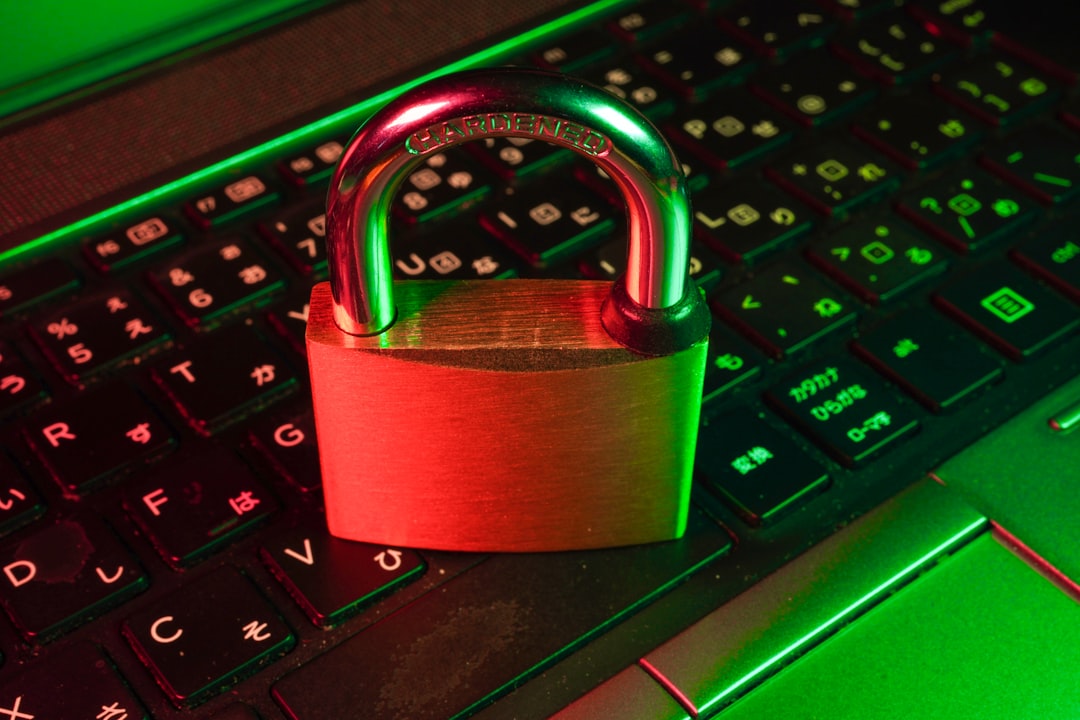
Passwords are still the front door to your entire digital life, and in 2026 that door has never been under heavier attack. AI-driven credential stuffing, deepfake phishing, and automated brute-force tools have turned weak or reused passwords into an open invitation for attackers. The irony is that AI is now on both sides of the fight: the same machine intelligence that powers sophisticated attacks also powers a new generation of password managers that detect breaches faster, flag risky logins, and autofill credentials with uncanny accuracy.
If you are still keeping passwords in a notes app, a spreadsheet, or (be honest) your browser’s default vault, this is the year to upgrade. In this guide we compare three of the most capable password managers of 2026 — 1Password, Bitwarden, and NordPass — across security architecture, AI-powered features, usability, and price. By the end you will know exactly which one fits your workflow.
Why Password Managers Matter More Than Ever in 2026
The average person now juggles well over 150 online accounts. No human brain can generate and remember 150 unique, high-entropy passwords, so people cut corners — they reuse the same password, add a “1” to the end, or lean on memorable words. Attackers know this, and modern tooling exploits it at scale.
A good password manager solves the problem at the root. It generates long, random passwords for every account, stores them in an encrypted vault, and fills them in automatically so you never have to memorize (or retype) anything. The best tools go further, actively monitoring the dark web for leaked credentials and warning you the moment one of your logins shows up in a breach.
Crucially, a password manager also protects you from phishing. Because it matches saved credentials to the exact domain, it simply will not autofill your bank password into a look-alike site — a small safeguard that quietly defeats one of the most common attacks on the internet.
1Password: The Polished Premium Choice
1Password has long been the darling of security professionals and design-conscious users alike, and in 2026 it remains the most refined product in the category. Its interface is clean, its apps feel native on every platform, and its onboarding is genuinely pleasant — a rare thing in security software.
Security Architecture
1Password’s standout feature is its Secret Key model. In addition to your master password, every account is protected by a 128-bit Secret Key generated locally on your device. This means that even if an attacker somehow obtained 1Password’s servers and your master password, they still could not decrypt your vault without that key. It is a genuinely strong design that has held up under scrutiny for years.
AI-Powered Features
1Password’s Watchtower dashboard uses intelligent analysis to surface weak, reused, and compromised passwords, and it integrates breach data to alert you in near real time. In 2026 the company has leaned into contextual security suggestions — nudging you to enable two-factor authentication on accounts that support it and flagging logins that suddenly appear on unfamiliar devices.
Best For
Families and businesses that want a polished, low-friction experience and are willing to pay a small premium for it. The family plan, which covers up to five people, is one of the best values in the space for households.
Bitwarden: The Open-Source Powerhouse
If transparency and value are your top priorities, Bitwarden is almost impossible to beat. It is fully open source, meaning its code is publicly auditable, and it has undergone repeated independent third-party security audits. For the privacy-minded, that verifiability is worth a great deal.
Security Architecture
Bitwarden uses end-to-end AES-256 encryption with zero-knowledge architecture, so the company never has access to your unencrypted data. Advanced users can even self-host the entire Bitwarden server on their own hardware, giving them total control over where their vault lives — a capability neither of the other two options here offers.
AI-Powered Features
Bitwarden’s Vault Health Reports analyze your stored credentials for exposed passwords, reused logins, and weak entropy, and its data breach report checks your emails against known leaks. While its intelligence layer is less flashy than the competition, it covers the fundamentals thoroughly, and its generous free tier includes unlimited passwords across unlimited devices — a nearly unheard-of offer.
Best For
Budget-conscious individuals, developers, and anyone who values open-source transparency. The free plan is the best in the industry, and the premium tier costs only a few dollars a year.
NordPass: The Modern Security-First Contender
Built by the team behind NordVPN, NordPass has rapidly matured into one of the most compelling password managers on the market. It combines a sleek, modern interface with a security foundation that is arguably the most future-proof of the three.
Security Architecture
NordPass uses XChaCha20 encryption — a modern algorithm favored by security engineers for its speed and resistance to certain classes of attack — rather than the older AES standard most competitors rely on. It is also zero-knowledge by design, so your data is encrypted and decrypted only on your device. For users who want cutting-edge cryptography, this is a genuine differentiator.
AI-Powered Features
NordPass shines with its Data Breach Scanner and Password Health tools, which continuously monitor for compromised credentials and grade your overall vault security. In 2026 it added smart autofill improvements and passkey support that make signing in almost effortless. Because it comes from the Nord ecosystem, it pairs naturally with a broader privacy toolkit.
If you are building out a complete privacy stack, it is worth pairing your password manager with a trustworthy VPN to encrypt your traffic on public networks. NordVPN is a natural companion here, and you can also grab NordPass directly if this comparison points you toward it.
Best For
Users who want modern encryption, a beautiful interface, and the option to bundle password management with VPN and other privacy tools at a discount.
Head-to-Head Comparison
Here is how the three stack up across the factors that matter most:
- Encryption: 1Password uses AES-256 plus a Secret Key; Bitwarden uses AES-256 with optional self-hosting; NordPass uses modern XChaCha20.
- Open source: Only Bitwarden is fully open source and independently auditable.
- Free tier: Bitwarden wins decisively with unlimited passwords on unlimited devices; NordPass offers a limited free tier; 1Password is trial-only.
- Ease of use: 1Password and NordPass both feel more polished than Bitwarden, which trades a little slickness for control.
- Breach monitoring: All three include dark-web and breach monitoring, with 1Password’s Watchtower being the most mature.
- Passkey support: All three now support passkeys, the passwordless standard rapidly gaining adoption in 2026.
Pricing Breakdown
Pricing shifts with frequent promotions, but the general shape in 2026 looks like this. Bitwarden remains the value leader: its free plan is fully functional, and premium runs about ten dollars a year. NordPass sits in the middle, typically a few dollars a month with steep discounts on multi-year plans, especially when bundled with NordVPN. 1Password is the priciest of the three at roughly three to eight dollars per month depending on individual versus family plans, but its family plan spreads that cost across up to five people.
For most households, the family and team tiers deliver the best per-person value, so if you are protecting more than one person, look there first.
How to Choose the Right One
The good news is that all three of these tools are excellent, and any of them is a massive upgrade over reusing passwords or trusting your browser’s built-in vault. Your decision comes down to priorities:
- Choose 1Password if you want the most polished experience and the added protection of a Secret Key, and you do not mind paying a premium for it.
- Choose Bitwarden if you value open-source transparency, self-hosting options, or simply the best free tier in the business.
- Choose NordPass if you want modern XChaCha20 encryption, a beautiful interface, and the option to bundle it with a broader privacy suite.
Beyond Passwords: Building a Complete Security Stack
A password manager is the foundation, but it is only one layer. To fully protect your digital life in 2026, pair it with two-factor authentication on every important account, a reputable VPN for public Wi-Fi, and healthy skepticism toward unexpected links and login prompts. Enable passkeys wherever they are offered — they are phishing-resistant by design and represent the direction the entire industry is heading.
The threats are real and increasingly automated, but so are the defenses. Spending twenty minutes to set up a password manager today is one of the highest-return security decisions you can make, and it will quietly protect you for years.
Conclusion
In 2026, going without a password manager is simply not worth the risk. 1Password delivers premium polish and a uniquely strong Secret Key model, Bitwarden offers unbeatable transparency and value through its open-source foundation, and NordPass brings modern encryption and a sleek experience backed by the trusted Nord ecosystem.
Pick the one that matches your priorities, import your existing logins, let it generate fresh strong passwords for your most important accounts, and turn on breach monitoring. Your future self — and your bank account — will thank you.
Leave a Reply