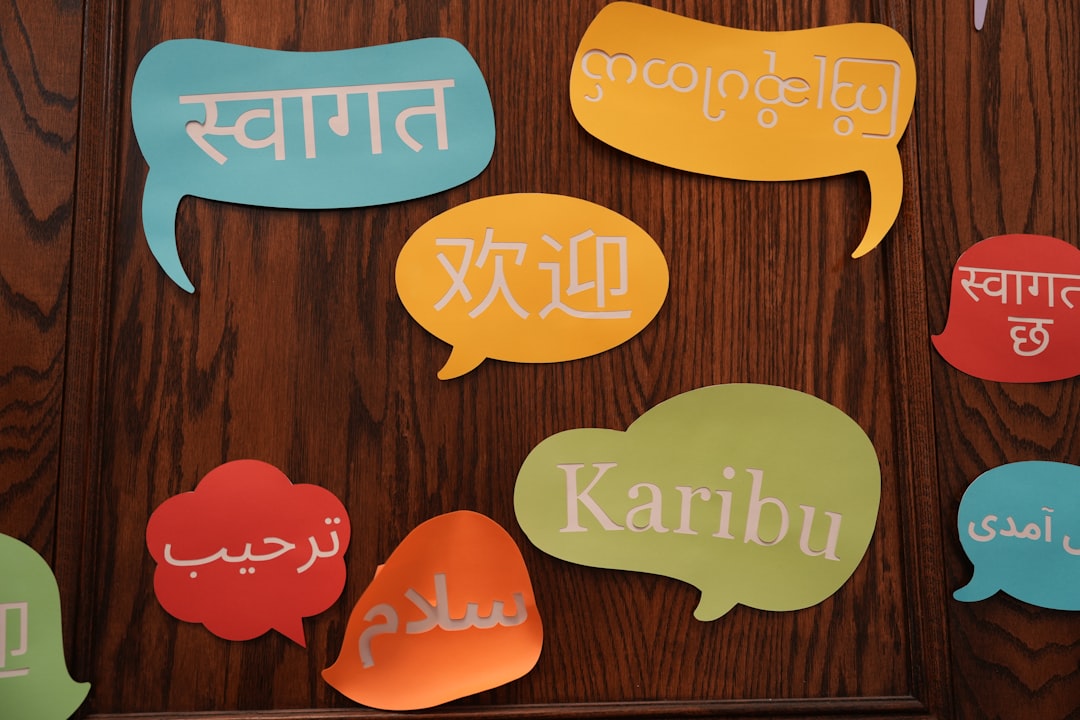
Translation used to mean clunky, robotic output that made native speakers wince. In 2026, AI translation tools produce results so fluent that they routinely pass for professionally translated copy — and they do it in seconds, across dozens of languages, for a fraction of the cost of a human translator. Whether you’re localizing a website, chatting with overseas suppliers, or reading foreign research papers, the right tool can collapse language barriers that used to require an entire department.
But not all AI translators are created equal. Some nail nuance and tone; others are faster or cheaper; a few handle rare language pairs that the big names ignore. In this guide, we compare the three heavyweights people actually reach for in 2026 — DeepL, Google Translate, and ChatGPT — and help you pick the one that fits your workflow, budget, and privacy needs.
Why AI Translation Beat Traditional Tools
The leap from statistical machine translation to neural and large-language-model translation is the reason your phone can now hold a real-time conversation with a taxi driver in Lisbon. Modern AI translators don’t swap words one at a time — they interpret whole sentences, weigh context, and choose phrasing that a fluent speaker would actually use.
That shift matters most in the places old tools failed hardest: idioms, formality levels, technical jargon, and tone. A 2026-era translator understands that “break a leg” isn’t a threat, that German business email needs the formal Sie, and that a legal contract and a birthday card demand very different registers. The result is output you can often publish with only light editing rather than a full rewrite.
DeepL: The Nuance Champion
DeepL built its reputation on one thing — sounding human. Ask a bilingual professional to blind-test translations, and DeepL still wins on tone and naturalness more often than not, especially across European languages like German, French, Spanish, Italian, and Dutch.
Key Strengths
- Superior fluency: Output reads like it was written by a native speaker, not translated.
- Tone and formality control: Toggle between formal and informal registers with a single click — invaluable for business communication.
- Glossary support: Lock in preferred translations for brand names, product terms, and industry jargon so they stay consistent across every document.
- Document translation: Upload Word, PowerPoint, and PDF files and get back a formatted document with layout intact.
Weaknesses
DeepL supports roughly 30+ languages — a fraction of Google’s catalog. If you need Swahili, Tagalog, or many South Asian and African languages, DeepL may not cover your pair. Its free tier also caps character counts and document uploads.
Pricing
A generous free tier handles casual use. DeepL Pro starts around $8.74/month for individuals and scales up for teams, unlocking unlimited text, more document uploads, and the crucial data-privacy guarantee that your text isn’t stored.
Google Translate: The Universal Workhorse
Google Translate is the tool everyone already has, and its biggest advantage is sheer reach. With support for 130+ languages — including many low-resource languages no competitor touches — it’s the only realistic choice for a huge slice of the world’s language pairs.
Key Strengths
- Unmatched language coverage: 130+ languages, including rare pairs the competition ignores.
- Free and instant: No account, no cost, no limits for everyday use.
- Ecosystem integration: Camera translation, live conversation mode, offline packs, and one-tap translation baked into Chrome and Android.
- Speed at scale: Paste huge blocks of text and get results instantly.
Weaknesses
Google Translate is a generalist. On high-stakes, nuance-heavy content it can feel more literal than DeepL, occasionally producing phrasing that’s technically correct but subtly off. It also offers less granular control over tone and terminology.
Pricing
Free for individuals. Businesses that need programmatic translation use the Google Cloud Translation API, which is priced per character and scales with volume.
ChatGPT: The Flexible Contextual Translator
ChatGPT isn’t a dedicated translator, but in 2026 it’s become a surprisingly powerful one — because you can talk to it about the translation. Instead of just converting text, you can tell it the audience, the tone, the purpose, and the constraints, then iterate until it’s perfect.
Key Strengths
- Context on demand: “Translate this marketing email into Japanese, keep it warm but professional, and localize the cultural references” — and it actually does.
- Explanation and learning: Ask why a phrase was translated a certain way, request alternatives, or get grammar breakdowns.
- Format-aware: Translate code comments, JSON, markdown, or subtitles without mangling the structure.
- Creative adaptation: Excellent at transcreation — reworking slogans and idioms so they land in the target culture rather than translating them literally.
Weaknesses
It’s slower for bulk work, can occasionally “improve” text you wanted left alone, and lacks the one-click document workflow of DeepL. For thousands of strings, a dedicated tool is more efficient.
Pricing
A capable free tier exists; ChatGPT Plus (around $20/month) unlocks the strongest models and higher usage limits, plus API access for developers who want to build translation into their own apps.
Head-to-Head Comparison
- Best fluency and tone: DeepL wins for European languages and polished, publishable output.
- Best language coverage: Google Translate, hands down, at 130+ languages.
- Best for context and customization: ChatGPT, thanks to conversational control and transcreation.
- Best free option: Google Translate for volume; DeepL for quality within its limits.
- Best for documents: DeepL’s format-preserving uploads are the smoothest.
- Best for developers: Google Cloud Translation API for scale, OpenAI API for flexibility.
Protecting Your Privacy When Translating Online
Here’s the part most guides skip: when you paste text into a translation tool, you’re sending it to someone else’s servers. If that text is a confidential contract, an unreleased product spec, medical information, or a private message, you’re exposing sensitive data to a third party — and possibly to anyone monitoring your network on public Wi-Fi.
Two habits dramatically reduce your risk. First, prefer paid tiers (like DeepL Pro) that contractually guarantee your text isn’t stored or used for training. Second, encrypt your connection so no one on the same network can intercept what you send. A trustworthy VPN is the simplest way to do that — NordVPN encrypts your entire connection, so whether you’re translating sensitive documents in a hotel lobby or a co-working space, your data stays private in transit. For anyone regularly translating business-critical or personal information, it’s a cheap layer of protection that pays for itself the first time it prevents a leak.
Which AI Translation Tool Should You Choose?
There’s no single winner — the right pick depends on the job:
- Choose DeepL if you translate European languages and care about polished, native-sounding output, especially for business documents and published content.
- Choose Google Translate if you need broad language coverage, instant free access, or on-the-go features like camera and conversation mode.
- Choose ChatGPT if you want fine-grained control over tone, context, and cultural adaptation, or you’re translating creative and technical content that benefits from a conversation.
Many power users run all three: Google Translate for quick gists and rare languages, DeepL for professional documents, and ChatGPT for anything that needs nuance and cultural finesse. In 2026, that trio covers virtually every translation need — and whichever you choose, remember to guard the sensitive text you send through it. Fluent translation is only half the win; keeping your data private is the other.
Frequently Asked Questions
Is DeepL really more accurate than Google Translate?
For the languages DeepL supports — mostly European — it consistently produces more natural, human-sounding translations. For raw accuracy across a huge range of languages, Google Translate’s coverage makes it the more reliable all-rounder.
Can I trust AI translation for legal or medical documents?
AI translation is excellent for understanding and drafting, but for legally binding or safety-critical documents, have a qualified human review the output. Use paid tiers with data-privacy guarantees and a VPN to protect sensitive content in transit.
Is ChatGPT good enough to replace a dedicated translator?
For contextual, creative, and low-to-medium-volume work, it’s outstanding. For bulk translation of thousands of strings or format-preserving document workflows, dedicated tools like DeepL are faster and more efficient.
Leave a Reply